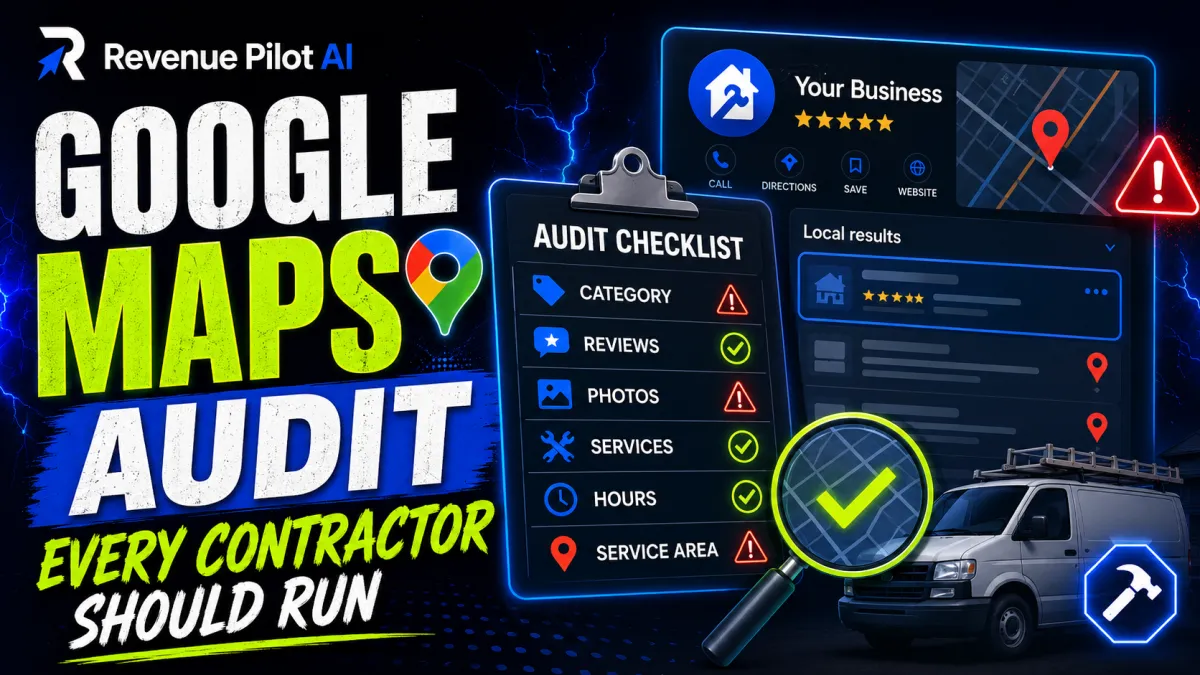
The Google Maps Audit Every Contractor Should Run
The Google Maps Audit Every Contractor Should Run
If your business depends on local leads, your Google Maps presence is not a “nice to have.” It is a core sales channel.
For contractors and local service businesses, Google Maps often decides who gets the call. If your profile is incomplete, inconsistent, or weak in key ranking signals, you can lose jobs to competitors who are simply easier for Google to trust.
This guide gives you a practical Google Maps audit you can run yourself. It is built for contractors, home service companies, and local operators who want clear diagnostic steps, not marketing fluff.
---
Why Google Maps matters for contractors
When a homeowner searches for terms like:
·“roof repair near me”
·“HVAC contractor in [city]”
·“plumber open now”
·“electrical panel upgrade local”
Google often shows the map pack first. That means the businesses displayed in Maps get the earliest clicks, calls, direction requests, and website visits.
If you rely on local jobs, Maps visibility is not just traffic. It is lead flow.
What a weak Maps listing looks like
Common warning signs include:
·You rank on page 1 organically but not in the map pack
·Your profile gets views but few calls
·Competitors with fewer reviews outrank you
·Your service areas are unclear
·Your business name, categories, or services are incomplete
·You appear in one part of town but disappear in nearby zip codes
These are usually fixable.
---
The Google Maps audit framework
Run this audit in order. Each section tells you what to check, what problems look like, and what to do next.
---
1) Audit your Google Business Profile basics
Your Google Business Profile is the foundation. If the basics are wrong, everything else becomes harder.
Check your business name
Your profile name should match your real-world business name.
Red flag: stuffing keywords into the name, such as “ABC Plumbing Best Plumber Water Heater Repair Dallas.”
That can create trust issues and can lead to suspension.
Check your primary category
Your primary category matters more than most contractors realize.
Examples:
·Roofer
·Plumber
·Electrician
·HVAC contractor
·General contractor
·Landscaper
·Pest control service
Choose the category that best matches your core revenue service, not the one that sounds broadest.
Check your service areas
If you serve multiple nearby cities, your service area settings should reflect real coverage.
Example:
A plumber based in Fort Worth may serve Arlington, Saginaw, and Benbrook. If those areas are omitted, your visibility may be weaker for searches in those locations.
Check hours, phone number, and website
These must be accurate everywhere.
Warning: mismatch between your GBP and your website can reduce trust and create lead loss.
---
2) Audit NAP consistency across the web
NAP stands for Name, Address, Phone number.
Google wants consistency.
What to verify
Check your business information on:
·Website header and footer
·Google Business Profile
·Yelp
·Bing Places
·Apple Maps
·Local directories
·Industry-specific directories
What inconsistency looks like
Examples:
·“Suite 200” on one listing and “Ste 200” on another
·Different phone numbers across citations
·Old business name after a rebrand
·An old office address still live on directories
Why it matters
If Google sees conflicting data, it can weaken confidence in your business identity and location.
Practical contractor example
A roofing company moved from one office to another but never updated old directory listings. Calls still went to the old number, and map visibility dropped in surrounding suburbs. Fixing citations restored consistency and improved lead quality.
---
3) Audit your location setup
This step matters especially for service-area businesses.
Do you have a real, eligible location?
If you work from a home office or hide your address, your setup should still follow Google’s rules.
Check for location visibility issues
If you use a storefront or office, verify that:
·The map pin is accurate
·The address is formatted correctly
·There is no duplicate listing for the same location
·The location is not pinned in the wrong building or city
Red flags
·Multiple profiles for one location
·Shared office spaces used incorrectly
·A service area business displaying a fake address
·The map pin dropped in the wrong place
Example
An HVAC contractor serving one metro area had the pin placed in a neighboring city. The profile was technically live, but local ranking performance was inconsistent because the geographic signal was off.
---
4) Audit your categories and services
Categories and services help Google understand what you do.
Primary category first
Your primary category should match your most important job type.
Secondary categories
Add only relevant secondary categories.
Examples:
·Roofer + Gutter cleaning service
·Plumber + Drainage service
·Electrician + Lighting contractor
·HVAC contractor + Air conditioning repair service
·General contractor + Kitchen remodeler
Services section
Fill out the services offered in plain language.
Good examples:
·Water heater replacement
·Emergency leak repair
·Furnace installation
·Panel upgrades
·Drain cleaning
·Asphalt shingle replacement
Avoid vague entries
Avoid generic phrases like “all services” or “best solutions.”
Google ranks and customers convert better when services are specific.
---
5) Audit reviews for volume, quality, and recency
Reviews are not just social proof. They are a major trust signal.
What to check
·Total review count
·Review recency
·Star rating
·Keywords in reviews
·Owner responses
Red flags
·Long gaps with no new reviews
·Many reviews from years ago
·Responses that are generic or copied
·A high star rating but too few reviews to compete
Practical example for contractors
Two electricians may both have 4.9 stars. If one has 18 reviews from the last two years and the other has 146 reviews with recent job-specific feedback, the second one usually looks more trustworthy to both Google and the customer.
What good reviews mention
Encourage customers to naturally mention the work performed:
·“replaced our water heater”
·“fixed the leak in our kitchen”
·“installed our new AC unit”
·“repaired the breaker panel”
·“completed the roof replacement on time”
That kind of detail helps Google understand your service relevance.
---
6) Audit photos, videos, and visual proof
Google Business Profile is visual. Contractors often underuse this.
What to look for
·Profile photo quality
·Logo clarity
·Before-and-after photos
·Team photos
·Truck or van branding
·Jobsite photos
·Short videos of completed work
Red flags
·Stock photos
·Blurry images
·Old photos only
·No jobsite evidence
·No brand consistency
Practical example
A local landscaper with clean before-and-after project photos and branded crew images can outperform a competitor with a bare profile, even if both offer similar services.
What to upload
Use real work examples such as:
·Roof replacements
·Bathroom remodel progress shots
·Trenchless sewer repair
·AC installation
·Foundation repair
·Pressure washing results
---
7) Audit your website-to-Maps connection
Your website should reinforce the same local signals as your profile.
Check these items
·NAP on every page footer
·Contact page accuracy
·Local service pages for each major city or service
·Embedded map if appropriate
·Clear service descriptions
·Fast loading speed
·Mobile usability
Common mistake
Sending all traffic to a generic homepage with no local relevance.
Better approach
Create service pages that match what people search.
Examples:
·Roof repair in Plano
·Emergency plumber in Arlington
·HVAC maintenance in Mesa
·Electrical troubleshooting in Tampa
·Tree removal in Charlotte
Why it matters
If your website and Maps profile both reinforce the same service and location signals, you create a stronger local relevance footprint.
---
8) Audit ranking coverage by zip code or neighborhood
A lot of contractors only check rankings from one location.
That misses the real problem.
What to test
Search from:
·Your office location
·Nearby neighborhoods
·Different zip codes
·Cities within your service area
What to watch for
·Ranking in one area but not another
·Strong visibility near your office but weak visibility 10 miles away
·Competitors dominating in specific suburbs
Example
A drain cleaning company ranked well downtown but barely appeared in two nearby suburbs where most of its residential calls came from. The issue was not only the listing. It was weak local content, limited review coverage, and no suburb-specific service pages.
---
9) Audit competitor profiles
You need to know what is working for the businesses outranking you.
Check competitor profiles for:
·Review volume and recency
·Categories
·Service list completeness
·Photo frequency
·Posting activity
·Website quality
·Location strength
·Brand name clarity
Look for patterns
If several top competitors have consistent review acquisition, detailed service pages, and frequent photo uploads, those are not random advantages. They are likely contributing to map visibility.
Practical example
If three top locksmiths in your area all have strong emergency service pages, fast mobile sites, and dense review histories, you need to close those gaps before expecting better map results.
---
10) Audit posting, Q&A, and profile activity
A static profile can look inactive.
What to review
·Google Posts
·Q&A section
·Updates about seasonal services
·Service announcements
·Promotions when relevant
Good uses for contractors
·Spring AC tune-up reminder
·Storm damage roof inspection notice
·Winter pipe freeze prevention tips
·Drain cleaning special before holiday season
·Landscaping cleanup before peak season
Q&A warning
If no one has answered common questions, prospects may leave with unresolved concerns.
Examples:
·Do you offer emergency service?
·Are estimates free?
·Do you service my city?
·Do you handle commercial work?
·Are you licensed and insured?
---
A practical Google Maps audit checklist
Use this checklist to score your profile:
Core profile
·Business name matches real-world name
·Primary category is correct
·Secondary categories are relevant
·Hours are accurate
·Phone number works
·Website is correct
Local trust signals
·NAP is consistent across the web
·Address or service area setup is compliant
·Map pin is accurate
·No duplicate listings
Relevance
·Services are fully filled out
·Photos show real work
·Website supports local intent
·City/service pages exist where needed
Authority
·Reviews are recent and detailed
·Owner responses are professional
·Citations are consistent
·Competitor gaps are identified
Activity
·Posts are updated regularly
·Q&A is handled
·Photos are added consistently
---
Common mistakes contractors make with Google Maps
1. Keyword stuffing the business name
This can backfire fast.
2. Using a broad category that does not match the main revenue service
Be precise.
3. Ignoring review recency
Old reviews alone are not enough.
4. Sending traffic to a weak website
A poor website can limit conversion even if Maps visibility improves.
5. Failing to update old citations
Old addresses and phone numbers create confusion.
6. Assuming ranking problems are only about reviews
Reviews matter, but profile completeness, relevance, and location signals matter too.
---
When to run this audit
Run a full audit when:
·Your leads slow down
·You move locations
·You rebrand
·You add a new service area
·Competitors overtake you in Maps
·You launch paid ads and want local organic support
·You suspect your profile has trust or relevance issues
For many contractors, a quarterly audit is enough to catch drift before it costs jobs.
---
FAQ
How long does a Google Maps audit take?
A basic audit can take 30 to 60 minutes. A deeper audit of citations, competitors, and local ranking coverage can take several hours.
Do reviews matter more than everything else?
No. Reviews are important, but they are only one part of the local ranking picture. Categories, relevance, service areas, proximity, photos, and website support all matter.
Why does my business rank in one city but not another?
That usually points to a mix of proximity, local relevance, review depth, and competitor strength in those areas.
Should I add every service I offer?
Only add services you actually provide and can support with real work, photos, and website content.
Can I use my home address for my contractor business?
Only if your business setup meets Google’s rules and you are comfortable with the visibility requirements. Service-area businesses should be configured carefully.
How often should I update my Google Business Profile?
At a minimum, review it quarterly. Update photos, hours, services, and posts as your business changes.
---
CTA
If your Google Maps visibility is underperforming, the issue is usually measurable and fixable. Use the AUDIT to review your profile, citations, and local signals, then get a structured diagnostic with the GMB Visibility Fix here: https://morelocalleadsnow.com/gmb-visibility-fix


